Phone, mail order, invoice, and keyed payments
MOTO & Invoice Credit Card Processing
Take card payments when the customer is not standing in front of you — over the phone, from a mailed or faxed order, or straight off an invoice. Expedio sets you up with a secure virtual terminal, pay-by-link invoicing, recurring billing, and the fraud controls that keyed transactions require.
- Virtual terminal, no website needed
- Approvals in about 24–48 hours
- High-risk MOTO welcome
- English · Español · Urdu
The basics
What MOTO processing actually means
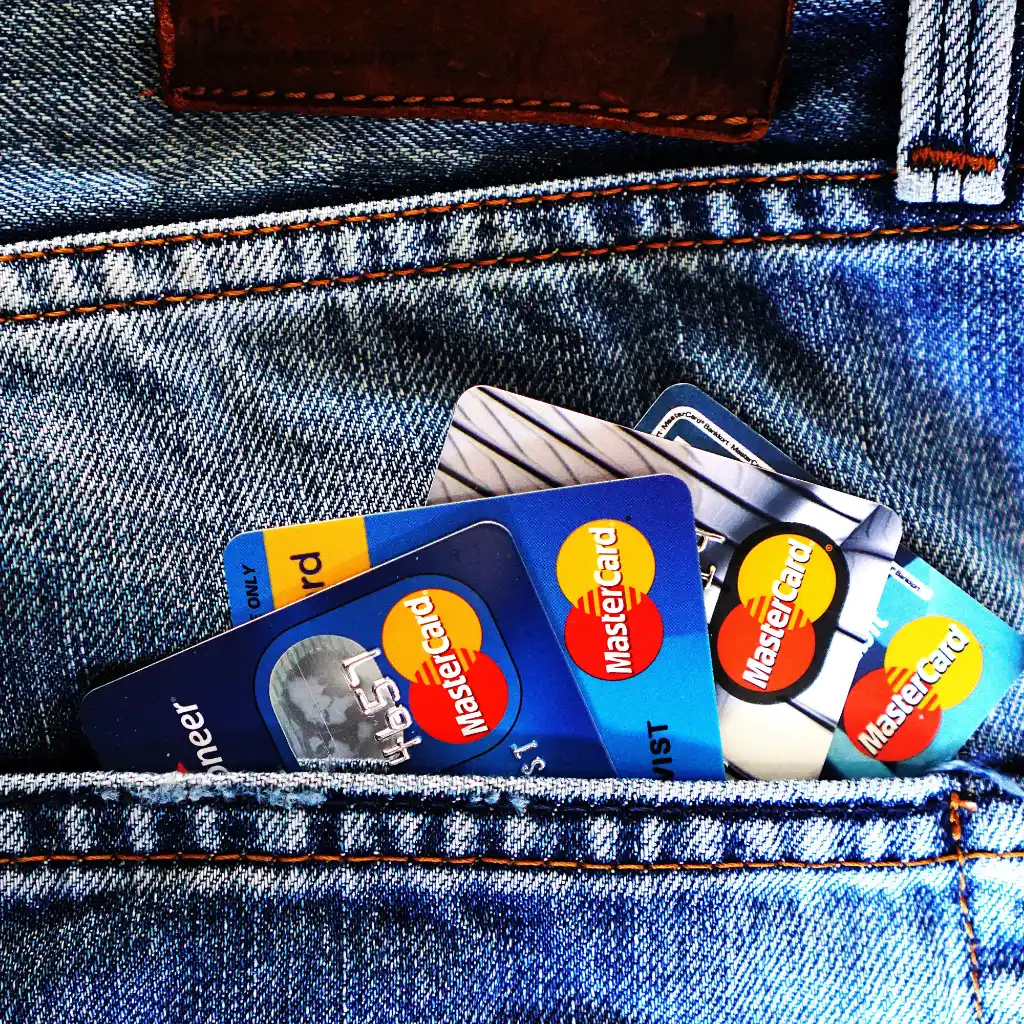
MOTO stands for mail order / telephone order. It describes every card payment where the cardholder is not physically present and your team enters the card details on their behalf — a customer reading their card number over the phone, a faxed purchase order from a wholesale buyer, a renewal called in after a reminder, or an invoice a client wants to settle right now instead of mailing a check.
Because the card is never dipped or tapped, MOTO sits in the card-not-present world. That has three practical consequences: the card brands price these transactions differently, the liability for a disputed charge usually sits with you rather than the issuing bank, and you need verification data — billing address, security code, and a paper trail — in place of a chip read.
None of that makes MOTO a problem. It makes it a workflow. Set up correctly, keyed payments close deals on the phone while the customer is still engaged, shorten the time between invoice and deposit, and remove the wait for checks to clear.
- No website, cart, or checkout page required
- Works alongside your existing POS and online sales in one account
- Every sale lands in the same batch, deposit, and reporting view
The flow
From the phone call to the deposit
A keyed sale should take under a minute and leave you with everything you would need to win a dispute eighteen months later. Here is the sequence.
-
Take the order and the authorization together
While the customer is on the line, confirm what they are buying, the total including tax and shipping, and your refund policy. Note who authorized the charge and when. For recurring or high-ticket work, a short signed order form or a recorded confirmation is the single best chargeback defense you can have.
-
Key the card into the virtual terminal
Open the terminal in any browser, enter the card number, expiration, security code, and full billing address, then add the invoice or order number so accounting can reconcile later. Nothing is written down and nothing is stored on your computer.
-
Let verification run before the authorization
Address Verification Service compares the billing address to the issuer's record, and the security code confirms the physical card was in hand. Velocity and duplicate rules catch the patterns that precede fraud losses — several cards on one address, or the same card retried repeatedly.
-
Send the receipt while they are still on the phone
An emailed or texted receipt showing your business name, the items, the amount, and your refund terms cuts "I don't recognize this charge" disputes dramatically. It also gives the cardholder a reason to call you instead of their bank.
-
Batch closes and funds move
The day's keyed sales, pay-link payments, and recurring charges settle in one batch. Deposits reach your account as soon as the next business day on approved accounts, and every transaction is searchable by invoice number, card last four, or customer.
Ways to get paid
Four tools, one merchant account
Most MOTO merchants use a mix. Take the card yourself when the customer is on the phone, send a link when they want to pay on their own time, and automate the payments that repeat.
Virtual terminal
Key any card from a browser on a laptop, tablet, or phone. Save customer records, run refunds and voids, add tips or surcharges where permitted, and search past sales by invoice or last four.
Invoices and pay by link
Email or text an itemized invoice with a secure hosted payment page. The customer pays with their own card, the invoice marks itself paid, and you never touch the card data.
Recurring and stored cards
Bill retainers, memberships, and payment plans on a schedule. Cards are tokenized with documented consent, and account updater plus smart retries recover renewals when a card is reissued.
Batch and catalog entry
For mailed and faxed order forms, enter a stack of sales in sequence or upload them as a file, with the same verification on every line and one reconciliation report at the end of the day.
Invoice payments
Get paid on the invoice, not 45 days later
If your business bills after the work is done — contractors, wholesalers, professional services, clinics, freight, equipment repair — the gap between sending an invoice and seeing money is your real cash flow problem. Card and ACH payment on the invoice itself closes that gap.
Send an itemized invoice by email or text with a secure hosted payment link. The customer pays with their own card on a page you never have to build, and because the card data goes straight to the gateway, your PCI scope stays narrow. Automated reminders handle the follow-up that nobody on your team enjoys.
- Itemized invoices with your logo, terms, and tax lines
- Partial payments, deposits, and scheduled balances
- Automatic reminders on unpaid invoices
- Surcharge and cash discount programs where the card rules and your state allow
- Level II and Level III data on business and purchasing cards for better B2B interchange
- CSV export or API sync so accounting reconciles without re-typing
Risk control
Keyed sales need a paper trail, not luck
In a card-not-present dispute, the issuer asks you to prove the cardholder authorized the charge and received what they paid for. Build that proof into the sale and most disputes never become losses.
Before you authorize
- Address Verification Service on every sale
- Security code required, never stored
- Velocity, duplicate, and amount ceilings
- Country, BIN, and blocklist rules
How data is handled
- Tokenization, so your systems hold a token
- TLS in transit, encryption at rest
- User-level permissions and audit trails
- PCI DSS-aligned gateway and hosted pages
When a dispute lands
- Alerts so you can refund before it escalates
- Help assembling the response package
- Descriptor review to cut "unknown charge" claims
- Monitoring against card brand dispute thresholds
Keep these eight things
The dispute-proof checklist for phone and mail orders
- Written, emailed, or recorded authorization to charge the card
- Full billing address captured and AVS-matched
- Security code entered on every transaction
- Itemized invoice or order form sent to the cardholder
- Signed delivery confirmation or service sign-off
- Refund and cancellation policy disclosed before charging
- A statement descriptor customers actually recognize
- Transaction and communication log kept at least 18 months
Know the difference
MOTO next to in-person and online payments
Most merchants run more than one of these. Understanding how they differ is what keeps your rates and your dispute ratio where they should be.
| In person (POS) | MOTO (phone, mail, invoice) | Online checkout | |
|---|---|---|---|
| Where the customer is | At your counter | On the phone, or mailing an order | On your website |
| Who enters the card | The customer dips or taps | Your staff keys it in | The customer types it in |
| How it is verified | EMV chip and PIN or signature | AVS, security code, order authorization | AVS, security code, 3-D Secure |
| Typical interchange | Lowest tier | Card-not-present tiers, higher | Card-not-present tiers, higher |
| Who usually eats a dispute | Often the issuer on chip sales | Usually the merchant | Usually the merchant, unless 3-D Secure shifts it |
| Best suited to | Walk-in retail and restaurants | Invoices, renewals, catalogs, B2B and service calls | Self-serve carts and digital goods |
| Setup you need | Terminal or POS hardware | Virtual terminal, no website required | Website plus gateway integration |
Interchange categories, dispute liability, and surcharging rules are set by the card networks and by state law, and they change. We review your specific profile before quoting anything.
Rates and costs
Why keyed transactions cost more — and how to pay less
Nobody will honestly quote you a MOTO rate before seeing your volume, average ticket, and refund history. What we can do is explain the mechanics, because most overpaying merchants are losing money to downgrades they could avoid.
Every transaction is assigned an interchange category by Visa, Mastercard, Discover, and American Express. Keyed, card-not-present sales start in a higher category than chip reads. They fall further — a downgrade — when required data is missing: no billing address, no security code, a batch settled late, or a business card submitted without purchasing-card data.
Submitting complete data on every sale, settling batches daily, and adding Level II and Level III fields on corporate and purchasing cards is where real savings live for B2B MOTO merchants. On an interchange-plus program you see those savings directly instead of having them absorbed into a tier.
- Interchange-plus pricing available so the markup is visible
- Statement review against your current processor before you switch
- Compliant surcharge or cash discount programs where permitted
- Level II and III optimization for business card volume
- No long-term contract requirement on most standard-risk programs
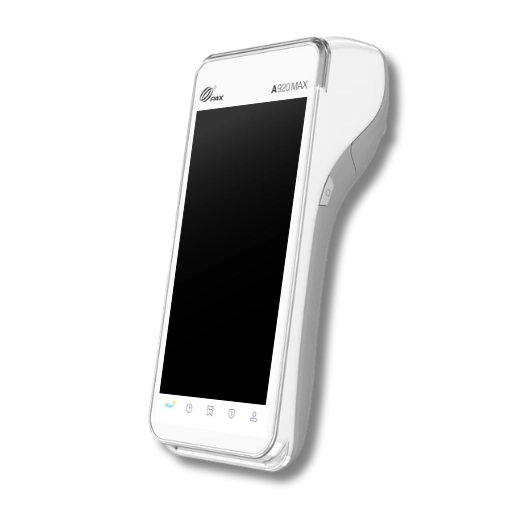
Already have a terminal? Most support keyed entry, and it can share one account with your virtual terminal and invoicing.
Who uses this
Built for businesses that bill, not just businesses that ring up
If your customer is on the phone, on a job site, or holding an invoice, keyed payments are the fastest path from agreement to deposit.
Wholesale and B2B distribution
Purchase orders by phone, fax, and email, repeat accounts on file, and purchasing cards that qualify for better interchange with Level II and III data.
Trades and home services
Collect a deposit on the booking call and the balance when the work is signed off, without driving back for a check.
Professional and medical practices
Retainers, treatment plans, and patient balances billed by invoice or on a schedule, with receipts customers recognize.
Catalog and mail order retail
Enter mailed order forms in sequence, verify every line, and reconcile the whole day in one report.
Subscriptions and memberships
Stored credentials with documented consent, account updater, and smart retries to stop involuntary churn at renewal.
Nonprofits and pledge drives
Phone pledges, recurring gifts, and mailed donation cards handled without a shopping cart.
Also placed regularly
Some of these verticals are underwritten as high risk. Expedio works with more than ten banking relationships, so a declined file elsewhere is often an approval with the right bank.
Integrations
It has to fit the software you already run
Payments that live in their own silo create a second job: re-typing transactions into accounting. We set the gateway up so customer, invoice, and settlement data move on their own.
- Gateway-level API and webhooks for custom and in-house software
- CSV and flat-file exports for QuickBooks and other accounting tools
- Hosted pay pages and payment links, no development needed
- Tokenized customer vault shared across terminal, invoices, and recurring
- Deposit and batch reports that reconcile to your bank statement
- User roles so front-desk staff can charge without seeing full card data


Onboarding
What happens after you call
1. A real conversation
How you take orders, average ticket, monthly volume, when you deliver, and how often you refund. Fifteen minutes, in English, Spanish, or Urdu.
2. Application and documents
Application, formation documents and EIN, owner ID, voided check or bank letter, and about three months of bank or processing statements.
3. Approval and setup
Usually 24 to 48 hours on standard-risk files. We configure the terminal, fraud rules, descriptor, and invoicing, then train your team on the workflow.
Timelines depend on underwriting and how quickly documents come back. Specialty and high-risk placements take longer because they are matched to a specific bank.
Support & clarity
MOTO and invoice payment FAQs
Straight answers on compliance, rates, chargebacks, and setup.
What is MOTO payment processing?
MOTO stands for mail order / telephone order. It covers any card payment where the cardholder is not physically present and your staff keys the card details in for them — usually from a phone call, a mailed or faxed order form, or an invoice the customer wants to settle by card. It is a subset of card-not-present processing, and it has its own pricing categories and its own risk rules.
Is a MOTO merchant account different from a regular one?
Yes. Underwriting looks at the share of keyed, card-not-present volume, your average ticket, and the gap between when you charge and when you deliver. Your account is set up with a MOTO or card-not-present profile so keyed transactions are expected rather than flagged as unusual activity mid-month.
Getting this right at application matters. Merchants who open a retail account and then process mostly keyed volume are the ones who get funds held.
Do I need a website to take payments over the phone?
No. The virtual terminal runs in a browser on any laptop, tablet, or phone, so you can take card payments with no website and no checkout page. If you later want customers to pay themselves, we can add a hosted pay-by-link page or an invoice link without rebuilding anything.
Can my team write card numbers on paper or in a spreadsheet?
No. PCI DSS prohibits storing the security code after authorization at any time, and loose paper, notebooks, or spreadsheets holding full card numbers put you out of compliance and expose you to real liability if they are lost.
Key the card straight into the virtual terminal while the customer is on the line, then cross-cut shred anything written down. If you need the card again later, store a token in the gateway instead of the number.
Why are MOTO processing rates higher than in-store rates?
Keyed, card-not-present transactions carry more fraud risk than a chip read, so the card brands assign them higher interchange categories. On top of that, transactions can downgrade further when data is missing — no billing address, no security code, a late batch, or a business card submitted without purchasing-card data.
Submitting the billing address, security code, order number, and Level II or Level III data on business cards is the practical way to qualify at better rates. Interchange-plus pricing lets you actually see the difference.
How quickly can I be approved and funded?
Standard-risk MOTO applications are commonly approved within about 24 to 48 hours once documents are complete. Specialty and high-risk files take longer because they are placed with a bank that underwrites that vertical. Next-day funding is available on approved accounts, with same-day options on some programs.
Can I email an invoice with a pay link?
Yes. You can send an itemized invoice by email or text with a secure hosted payment link. The customer pays with their own card on a hosted page, the invoice is marked paid automatically, and the transaction lands in the same batch and reporting as your keyed sales. Automated reminders can chase unpaid invoices for you.
How do I reduce chargebacks on phone orders?
Capture written or recorded authorization to charge the card, match the full billing address through AVS, require the security code on every sale, send an itemized receipt immediately, keep proof of delivery or service sign-off, disclose your refund policy before charging, and use a statement descriptor customers recognize.
Most card-not-present disputes are either "I don't recognize this charge" or "I never received it." Both are answered by documentation you can only collect at the time of the sale.
Can I store a card for repeat or recurring billing?
Yes, with the cardholder's documented consent, including the amount or amount range, the frequency, and how they can cancel. Cards are tokenized in the gateway so your systems never hold the real number, and account updater plus smart retries reduce failed renewals when a card is reissued or expires.
What is the difference between MOTO and online checkout processing?
Both are card-not-present, but in MOTO your staff keys the card on the customer's behalf, while in online checkout the customer types their own card into your site. That changes which fraud tools apply: 3-D Secure works on a customer-facing checkout and can shift dispute liability, while MOTO relies on AVS, the security code, order documentation, and velocity rules. Many merchants run both on one account.
Which MOTO businesses are treated as high risk?
Common examples include subscription and continuity billing, credit repair, debt collection, coaching and info products, travel, supplements, tech support, and certain firearms and vape catalogs. High risk does not mean unapprovable — it means the file needs a bank that already understands the vertical. Expedio works with more than ten banking relationships for exactly this reason.
Does it work with QuickBooks, my CRM, or my own software?
Yes. Transactions can be exported as CSV for accounting, and the gateway offers an API and webhooks so orders, invoices, and settlement data flow into your CRM, ERP, or in-house software without anyone re-typing. Deposit reports reconcile line by line to your bank statement.
What do I need to apply for a MOTO merchant account?
Typically a completed application, business formation documents and EIN, owner identification, a voided check or bank letter, about three months of recent bank or processing statements, and a short description of how you take orders, when you bill, and when you deliver. High-risk files may also ask for your refund policy and a sample invoice or order form.
Let's price your keyed volume properly
Send us a recent statement and we will show you where your keyed transactions are downgrading, what a card-not-present profile should cost, and which bank fits your vertical. No obligation, and a real person on the phone.
Expedio Payments
Ready to get started?
Tell us how you take orders today — phone, mail, invoice, or all three — and we will match the right MOTO setup, gateway, and bank to your business. Support in English, Spanish, and Urdu.
Call Now